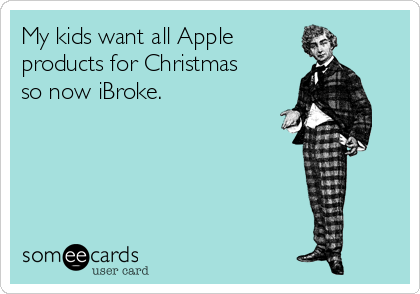
When I say Apple I do not mean Snow White’s poison snack, Eve’s oopsie in the garden, or that poor apple William Tell had to play target practice with. I mean Apple. Steve Jobs Apple. The one that basically walked into our lives, redecorated the place and never left.
And Christmas? Christmas is basically the Super Bowl of Apple gifts. iPhones, iPads, MacBooks, iMacs, AirPods, watches… the whole shiny spaceship collection.
Now… confession time. I’m all in on gadgets. Any kind. Kitchen. Yard. Cleaning. Toys. Toys. Electronics. Yes, toys twice. IYKYK.
Once upon a time I refused to get an iPhone. I was stubborn. I was principled. I was also wrong. I finally broke down because of work integration and one swipe across that screen had me hooked like a my dogs on a dropped chicken nugget.
These days I’m walking around with an iPhone 16 Pro Max, an iPad 12.9, an Apple Watch (don’t ask me which one, it does the things) and AirPods Pro 3. It’s ridiculous how much I love my tech.
The part nobody tells you when you unwrap a brand-new Apple device…
You pull that new iPad out of the box and it’s gleaming, it’s perfect, it’s giving “I have my life together.”
Then Apple says: Surprise. Update time.
And they’re not wrong.
Apple pushes updates constantly because they’re fixing bugs, patching security issues and sometimes dropping new “BAM” features that make you feel like you got a whole new device. Apple’s own security guidance basically says keeping software up to date is one of the most important things you can do.
But here’s where people get mad: they update… without knowing what changed… then act shocked when something looks different.
That’s like getting a new haircut with your eyes closed and then yelling at the mirror.
Here are the kinds of updates Apple has been sliding in lately, the ones people miss, then complain about, then love once someone explains it.
🍎 iPadOS 26: Your iPad got more “computer-ish”
Apple’s iPadOS 26 feature list calls out things like Spatial scenes (that 3D photo effect), plus updates to windowing and multitasking so you can work across more apps like a grown adult… or at least pretend.
It also mentions Advanced Fingerprinting Protection expanding beyond Private Browsing which is a fancy way of saying Safari is doing more to stop sneaky tracking.
🍎 iOS 26.2: It wasn’t just “bug fixes,” it was real features
Apple’s iOS 26.2 update notes list updates to Apple Music (like offline lyrics) and Podcasts (like auto chapters), plus the usual performance and security work.
And yes, security patches can be the real headline even when the update feels “small.” Apple’s security docs for iOS 26.2 and iPadOS 26.2 describe fixes for WebKit issues that Apple notes may have been exploited in targeted attacks.
🍎 AirPods update too… because of course they do
Most people don’t realize AirPods get firmware updates quietly in the background. Apple says they update automatically while charging and near your iPhone or iPad on Wi-Fi, and you can check the firmware version in settings.
So if your AirPods suddenly do something new, or stop doing something old, don’t assume they became possessed. It was probably a firmware update.
iPadOS 26 even calls out some AirPods integrations like using AirPods as a camera remote and recording higher quality audio with supported AirPods.
🍎 Apple Watch: updates add features and fix the little annoying stuff
Apple’s watchOS 26 pages highlight new capabilities, and the watchOS 26.2 update notes mention things like Sleep Score refinements, Enhanced Safety Alerts (US) and fixes like Music not advancing tracks.
My favorite part of all this: learn what changed in 10 minutes!
I follow a couple tech people on YouTube, but my favorite is Brandon Butch because he talks plainly. No tech snob energy. Just “here’s what changed, here’s what matters.”
He regularly posts those “What’s New?” videos for updates like iOS 26.2, plus AirPods update breakdowns and big feature roundups.
And honestly? Not understanding updates is why people get mad about updates 99% of the time.
My quick “new Apple gift” routine (steal this)…
Because yes, I’m busy too… but I did not drop big dollars to use 40% of a device.
📲 Update it immediately (Settings > General > Software Update)
📲 Turn on automatic updates so you’re not behind
📲 Watch one “What’s New” video while you drink coffee and pretend you aren’t addicted to screens
📲 Pick one feature to learn today instead of trying to learn everything at once
That’s it. Small bites. Big payoff.
Because these Apple babies can do way more than most people realize. And if I’m going to own them, I’m going to get every ounce of magic out of them.
And that, my friends, is the gospel according to Journeys With Jani.
Now tell me… what did Santa bring you?
XOXO, Jani
 Journeys With Jani
Leave a comment